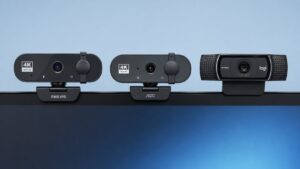
I looked at these three webcams with the same questions most people have: which one gives the best image quality, which one makes the most sense for the money, and which one I’d actually buy myself instead of just recommending on paper.
Here’s the short version.
The Philips 4K Webcam is the best overall pick. It delivers 4K video, autofocus, light correction, and a privacy cover while also being the cheapest webcam in this comparison.
The EMEET S600L takes second place. The built-in ring light, larger sensor, and streaming-focused features make it a better fit for content creators and people who spend a lot of time on camera.
The EMEET NOVA 4K comes in third. It works well for Zoom, Teams, and other business meetings, but it doesn’t offer the same value as the Philips or the extra features of the S600L.
1) Philips 4K Webcam
Best Value Overall
This is the one that surprised me the most when I looked at the pricing.
Usually the cheapest webcam in a comparison ends up being the obvious compromise. Here, that’s not really the case.
The Philips gives you 4K video, autofocus, automatic light correction, a built-in microphone, and a physical privacy cover while costing less than the other two cameras.
The image looks sharp, setup is simple, and it covers everything most people actually need for Zoom, Teams, Skype, Google Meet, streaming, or everyday video calls.
What I like is that it doesn’t feel stripped down. Nothing about it screams “budget webcam.”
Pros
- Cheapest webcam in this comparison
- 4K video
- Autofocus
- Privacy cover
- Easy plug-and-play setup
- Strong overall value
Cons
- Built-in microphone is fine for calls, but not content creation
- Fewer user reviews than some long-established competitors
Who It’s For
People who want the best value and don’t want to spend extra money chasing features they’ll rarely use.
2) EMEET S600L 4K Webcam
Best for Streaming
The S600L feels like it was designed for people who spend a lot of time on camera.
The standout feature is the built-in ring light. Most webcams expect you to solve lighting yourself. This one already has it built in, which makes a bigger difference than many people realize.
The larger sensor and fast PDAF autofocus also help produce a cleaner image when lighting conditions aren’t ideal.
For streaming, content creation, Discord calls, YouTube videos, or late-night meetings, the extra lighting is genuinely useful.
Pros
- Built-in ring light
- Multiple lighting modes
- Large sensor
- Fast PDAF autofocus
- Good for streaming and content creation
Cons
- More expensive than the Philips
- The ring light won’t matter to everyone
Who It’s For
Streamers, content creators, and anyone who spends a lot of time in front of a camera.
3) EMEET NOVA 4K Webcam
Best for Business Meetings
The NOVA feels more like a work webcam than a creator webcam.
The narrower 73° field of view helps keep the focus on you instead of showing half your room. That’s useful if most of your webcam use happens inside Zoom, Teams, or Google Meet.
The dual microphones do a good job with voice clarity, and the autofocus is quick and reliable.
The problem isn’t that the NOVA is bad. It’s that the other two offer more compelling reasons to buy them.
The Philips wins on value, while the S600L brings features that content creators will actually notice.
Pros
- Sharp 4K image
- Fast autofocus
- Good microphone quality
- Privacy cover included
- Works well for meetings
Cons
- Costs more than the Philips
- Fewer standout features than the S600L
Who It’s For
Remote workers, teachers, consultants, and anyone who spends a large part of the week on video calls.
Final Ranking
🥇 Philips 4K Webcam
The best value of the three and the one I’d buy first.
🥈 EMEET S600L
The better choice for streaming, content creation, and anyone who wants built-in lighting.
🥉 EMEET NOVA 4K
A solid webcam for business meetings, but harder to justify against the first two.
Which One Would I Buy?
I’d go with the Philips, if you are not a streamer.
Not because it’s packed with flashy features, but because it’s the cheapest webcam here and still gives you the things most people actually care about: sharp video, autofocus, decent audio, and a privacy cover.
It’s the one that makes the most sense once you stop looking at marketing bullet points and start looking at what you’re actually paying for.