
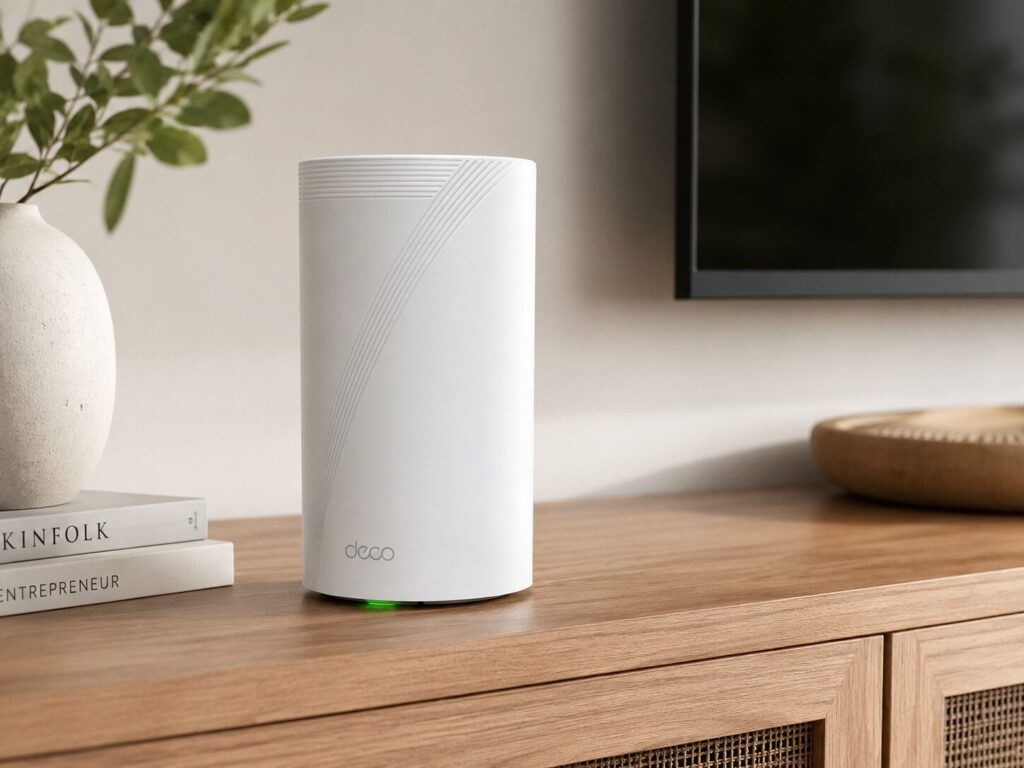
The TP-Link Deco 7 Pro is the kind of upgrade I would recommend if your home WiFi feels strong in one room and completely confused in another. It is fast, modern, easy to manage. The biggest win is not just speed, but consistency. It makes the whole house feel connected instead of having one “good internet corner”.
As an Amazon Associate, I may earn a small commission from qualifying purchases, at no extra cost to you. Thanks for supporting the site.
The problem it solves
Most people do not upgrade their router because they want fancy specs. They upgrade because something is annoying.
For me, the classic problem would be this: the internet is fine near the router, but the bedroom, garage, upstairs room, or backyard feels like it is running on emotional support. Video calls freeze, games lag, smart cameras disconnect, and streaming apps start buffering right when the movie gets good.
The Deco BE63 is made for exactly that kind of problem. Instead of relying on one router to cover the entire home, it uses a mesh system, so multiple Deco units work together as one network. You move around the house, and your devices can stay connected without you manually switching networks like it is 2009.
Quick specs
| Feature | TP-Link Deco 7 Pro BE63 |
|---|---|
| WiFi standard | WiFi 7 |
| System type | Whole-home mesh |
| WiFi class | BE10000 |
| Bands | Tri-band |
| Streams | 6-stream |
| Ethernet ports | 4 x 2.5G ports |
| Backhaul | Wired and wireless backhaul support |
| Antennas | 4 smart internal antennas |
| Security/features | VPN, HomeShield |
| Best for | Larger homes, many devices, streaming, gaming, smart homes |
TP-Link lists the Deco BE63 as a WiFi 7 tri-band mesh system with speeds up to 10 Gbps, support for more than 200 devices, 320 MHz bandwidth, Multi-Link Operation, 4K-QAM, AI roaming, HomeShield, and multi-gig connectivity through four 2.5G ports. Amazon currently shows the 3-pack around $449.99 with a 4.2-star rating from more than 1,600 reviews, though price and ratings can change.
Pros
| Pros | Why it matters |
|---|---|
| Strong whole-home coverage | Helps fix dead zones and weak rooms |
| WiFi 7 support | More future-ready for newer phones, laptops, and devices |
| Tri-band design | Better bandwidth handling than basic dual-band systems |
| 4 x 2.5G ports | Great for wired backhaul, gaming PCs, NAS, or fast internet |
| Wired backhaul support | More stable than relying only on wireless mesh |
| Handles many devices | Useful for smart homes and busy households |
| Easy app setup | Much less painful than old-school router menus |
| VPN and HomeShield | Adds useful network control and protection features |
Cons
| Cons | Why it matters |
|---|---|
| Not cheap | It is a serious upgrade, not a budget router |
| WiFi 7 benefits need WiFi 7 devices | Older devices still work, but will not use every new feature |
| Advanced controls may feel limited | Power users may want deeper router settings |
| Best performance needs good placement | Mesh still works better when units are positioned well |
| HomeShield extras may require subscription | Some advanced security/parental features may not be fully free |
Personal review
What I like about the Deco BE63 is that it feels like a practical upgrade, not just a spec flex.
The first thing I would expect people to notice is stability. A good mesh system does not just make speed tests look pretty. It makes the internet feel less annoying. Phones stop clinging to a weak signal from the other side of the house. Streaming feels smoother. Smart devices behave better. The “why is the WiFi bad in this room?” conversation happens less often, which is already a quality-of-life improvement.
The four 2.5G ports are a big reason this system stands out. Many mesh systems give you fast wireless specs and then cheap out on wired ports. Here, you can wire the Deco units together for a stronger backhaul, or plug in devices that deserve a stable connection, like a gaming PC, console, desktop, or network storage. B&H also confirms that the BE63 has four auto-sensing 2.5G WAN/LAN ports and supports Multi-Link Operation for improved throughput and reliability.
For gaming and streaming, this is exactly what you want. You are not buying this because one speed test number looks cool. You are buying it because the internet should not fall apart when someone starts a 4K stream, another person joins a video call, and your smart TV decides to update itself like it pays rent.
Setup is another strong point. Deco systems are usually app-friendly, and this one is designed to be managed without needing to speak fluent router. Wired notes that setup is quick through the Deco app and that the system is backward compatible with older WiFi devices, although WiFi 7 devices get the biggest advantage.
Who should buy it?
Buy the Deco BE63 if you have:
| Situation | Good fit? |
|---|---|
| Large home or multi-floor layout | Yes |
| WiFi dead zones | Yes |
| Many connected devices | Yes |
| 4K streaming in multiple rooms | Yes |
| Gaming PC or console | Yes |
| Fast internet plan | Yes |
| Need wired backhaul | Yes |
| Small apartment with basic internet | Probably overkill |
Final verdict
The TP-Link Deco 7 Pro BE63 is easy to recommend if your current WiFi feels outdated, inconsistent, or stretched too thin.
It is not the cheapest mesh system, but it solves the problem people actually care about: getting strong, stable internet across the house without constantly thinking about the router. The WiFi 7 support makes it future-ready, the tri-band setup gives it more breathing room, and the 2.5G ports make it much more useful for serious home networks.
If your home has dead zones, too many connected devices, or one room where the WiFi goes to retire, the Deco BE63 is a strong upgrade. It is the kind of system that makes the internet boring again, and honestly, that is the highest compliment you can give a router.